
Verdict
If you’re venturing into the world of color e-ink e-readers, a crucial question arises: which one truly delivers on its promises? For most readers in 2026, the Kobo Clara Colour is the best value color e-reader, the Kobo Libra Colour is the best all-round color reader with buttons and stylus support, the Kindle Colorsoft is the best choice for Amazon loyalists, and the Boox Go Color 7 Gen II is the best choice if you want Android apps on an e-reader.
This guide breaks down screen technology, color reproduction, battery, stylus support, software ecosystems, and price, so you can choose with confidence.
The 2026 Color Lineup at a Glance
| Model | Screen | US Price | Notes |
|---|---|---|---|
| Kobo Clara Colour | 6″ color | $179.99 | Cheapest color e-reader from a major brand |
| Kobo Libra Colour | 7″ color | $259.99 | Page-turn buttons; stylus optional |
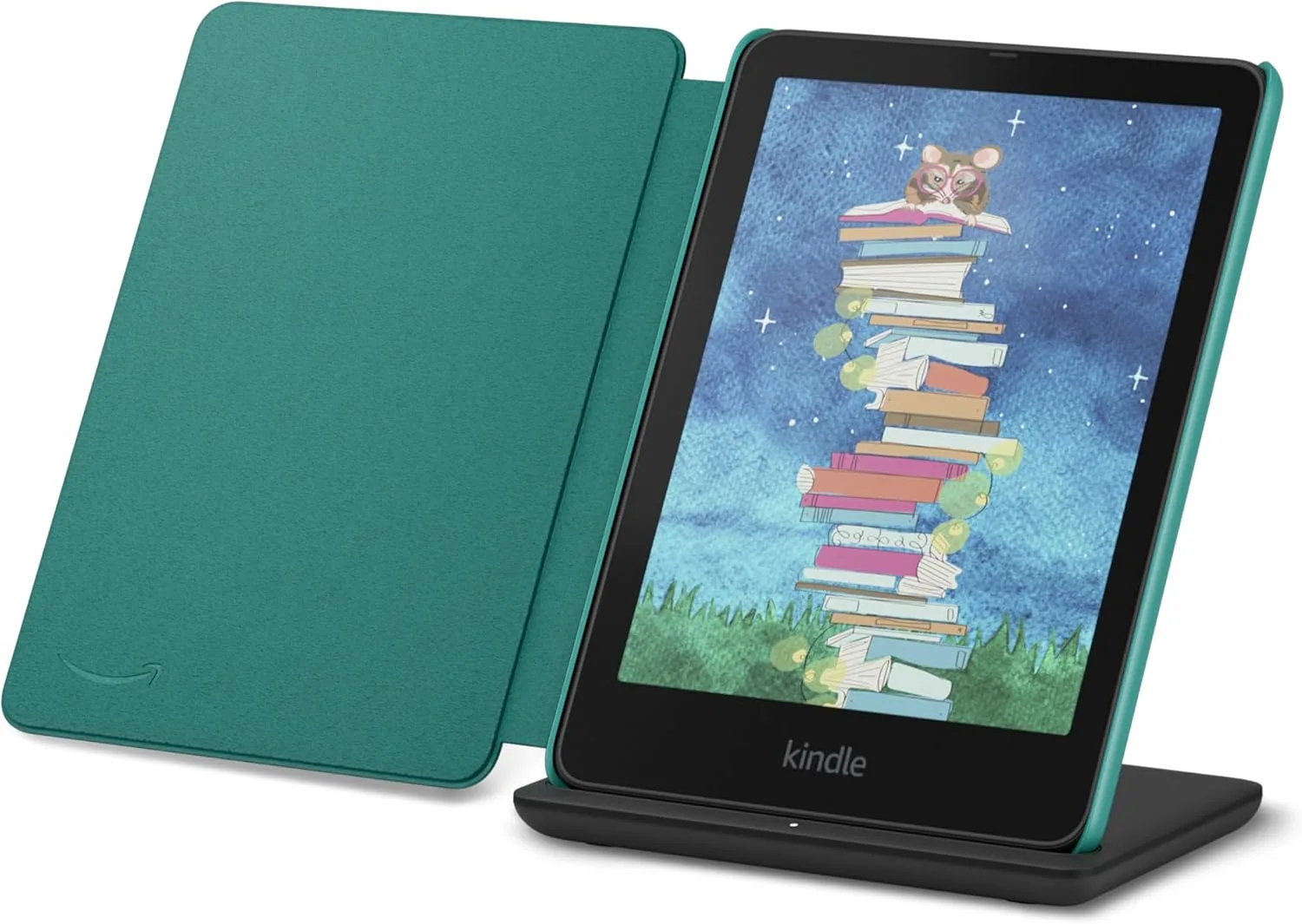
| Kindle Colorsoft | 7″ color, 16GB | $289.99 | Ad-free; Kindle ecosystem |
| Kindle Colorsoft Signature Edition | 7″ color, 32GB | $319.99 | Aluminum body, auto light, dock charging, Fig color |
| Boox Go Color 7 Gen II | 7″ color | $279.99 | Android; runs third-party reading apps |
| Kindle Scribe Colorsoft | 11″ color | $629.99 (32GB) / $679.99 (64GB) | Color note-taking, pen included |
🇨🇦 In Canada (CAD list prices): Kindle Colorsoft — C$379.99 (arrives November 11 in Canada); Kobo Clara Colour — C$199.99; Kobo Libra Colour — C$289.99. The BOOX Go Color 7 isn’t sold on Amazon.ca — Canadian readers can order it from BOOX’s own store, priced in USD.
The most important change since our original version of this guide: the entry price of color has split in two. Kobo sells you a color screen for $179.99; Amazon’s color starting price is $289.99. That gap shapes almost every recommendation below.
The Comics Question: Why Color E-Ink Exists
If you only read novels, stop here — a black-and-white reader is sharper and cheaper, and the FAQ at the bottom of this guide says so plainly. Color e-ink exists for one audience above all: comics and graphic-novel readers, plus anyone whose books are full of covers, illustrations, charts, or highlighted study material.
The sweet spot in 2026 is a 7-inch Kaleido 3-class screen — the size of the Kobo Libra Colour, the Kindle Colorsoft, and the Boox Go Color 7 Gen II. Understand what that screen actually is: black-and-white content renders at a crisp 300 ppi, while color content renders at 150 ppi through a color filter layer. Color pages therefore look softer and more muted than the same page on a tablet — closer to a newspaper or a printed trade paperback than to a phone screen. For most comic art, that trade is fine. For fine lettering and dense detail, it shapes how you’ll read — which is what the next sections get into.
I. Overall Customer Satisfaction
A caution before the numbers: the ratings in our original guide were collected for the first-generation devices, and the Kindle figure belongs to a model you can no longer buy.
- Kobo Clara Colour: 4.4/5 (897 ratings at original review) — strong, consistent owner satisfaction.
- Kobo Libra Colour: 4.3/5 (604 ratings at original review) — also highly rated, especially for its added features.
- Boox Go Color 7 Gen II: 3.8/5 from a very small ratings pool — too little data for a definitive judgment.
- Kindle Colorsoft, 2024 model: 3.4/5 (3,101 ratings) — driven down largely by the launch model’s screen defects, discussed below.
The 2026 Colorsoft models are too new for a settled owner verdict.
Key takeaway: Kobo built its reputation on consistency. Kindle’s color reputation was damaged by its first attempt, and the 2026 models have to rebuild it.
II. Color Display & Screen Quality
Kindle Colorsoft & Colorsoft Signature Edition (2026)
- Technology: 7-inch Colorsoft display, 300 ppi in black-and-white and 150 ppi in color.
- The 2024 problem, in past tense: the first-generation Colorsoft was widely reported to suffer a “yellow band” along the screen and uneven color.
- 2026 status: Amazon redesigned the Colorsoft and split it into two tiers. The new display also addresses the uniformity problems of the 2024 model.
- Tier differences: the Signature Edition ($319.99) adds an aluminum body, auto-adjusting front light, double-tap page turns, and dock charging.
Kobo Libra Colour & Clara Colour
- Technology: Both use Kaleido 3 screens, the recognized standard for color e-ink.
- Clarity & vibrancy: Colors are generally described as crisp, with a newspaper-like quality that keeps text and color legible in bright light.
Boox Go Color 7 Gen II
- Technology: A 7-inch Kaleido 3 screen.
- Graphics performance: Adequate for general graphics, but reported to be darker than monochrome e-readers, with some graininess in color.
Key takeaway: The 2026 Colorsoft is a more serious product than the 2024 original — but Kobo’s Kaleido 3 displays remain the benchmark for screen uniformity in this class.
III. Performance & Readability
Kindle Colorsoft (2026)
- Page turns: Kindle page refreshes remain very fast, and black-and-white text stays sharp — both Kindle hallmarks.
- Comics: Colors are appealing, but comics on any 7-inch screen involve zooming, which can break the reading flow.
Panel View: How the Colorsoft Handles Comics
A 7-inch page is smaller than a printed comic page, so every reader in this guide makes you choose between a shrunken full page and zooming. Kindle’s answer is Panel View: instead of pinching and dragging around a page, you move through the comic panel by panel, with each panel enlarged to fill the screen in reading order. For graphic novels — especially lettering-heavy ones — that turns a squint-and-zoom chore into something close to normal reading, and it’s the Colorsoft’s strongest comics feature.
The trade-off is flow: panel-by-panel reading is slower and more deliberate than taking in a full page at a glance, and splash pages lose their impact when they’re served one panel at a time. Kobo and Boox readers lean on smooth scrolling and manual zoom instead — more freedom, more fiddling. If your comics are dialogue-driven, Panel View is a genuine reason to shortlist the Colorsoft despite its price; if you read for the full-page art, you’ll prefer a bigger screen altogether (see the comics notes in Section III and the Scribe Colorsoft, at $629.99, in the recommendations).
Kobo Libra & Clara Colour
- Page turns: Slightly slower than the Kindle, though still generally responsive, and text readability is widely praised.
- Scrolling: Smooth scrolling is a practical advantage for articles and comics, reducing the need to zoom constantly.
Boox Go Color 7 Gen II
- Refresh & ghosting: Good refresh rates and effective ghosting control keep the display clean.
- Comics limitation: The 7-inch size limits comfortable comic reading; 10-inch-plus screens suit panel layouts better. (The Kindle Scribe Colorsoft, if your budget stretches to $629.99.)
Key takeaway: For pure page-turn speed, Kindle excels; for varied content, Kobo’s scrolling and readability are more versatile.
Manga: Do You Actually Need Color?
Mostly, no — and manga readers are the audience most likely to overpay for color they won’t use. The great majority of manga is drawn and published in black and white — and on a color screen those pages sit behind the color filter layer, so they look dimmer and softer than the same pages on a dedicated monochrome reader. A black-and-white Paperwhite ($199.99) or Clara BW ($159.99) shows B/W manga at a full 300 ppi, costs less, and lasts longer between charges.
Color earns its place for manga only at the edges: color manga editions, color cover galleries, and the color front-pages some volumes include — and for readers who split their time between manga and Western comics or illustrated books. Even then, set expectations correctly: Kaleido 3 color is muted, newspaper-like color, not tablet color. Saturated, glossy art will look flatter than you’re used to.
Route yourself: pure manga reader → buy the monochrome reader and spend the savings on volumes. Mixed manga-and-comics reader → the Libra Colour or Colorsoft makes sense. Manga plus note-taking in color → you’re in Scribe Colorsoft territory, at a very different price.
IV. Battery Life
Color e-ink consumes more power than monochrome:
- Kindle Colorsoft (2024, for reference): advertised at up to 8 weeks under ideal conditions, but real-world use is shorter.
- Kobo Clara Colour: owners have reported roughly 49 hours of continuous reading — very good for a color e-reader.
- Kobo Libra Colour: around 20 hours at 40% backlight in owner reports.
- Boox Go Color 7 Gen II: battery life is generally described as mediocre — the usual trade-off for Android flexibility.
Put the official numbers side by side and the color tax is clear. Kobo rates the Libra Colour at up to 40 days — a strong figure for a color reader, and the best official rating in this guide. A monochrome reader of the Paperwhite class is rated at up to 12 weeks under its (similarly gentle) test conditions. In other words, moving to color roughly halves your time between charges even before real-world use shortens both figures. For most people that’s the difference between charging monthly and charging every couple of months — not a deal-breaker, but a real, permanent cost of the color screen that should be weighed alongside the price premium.
Key takeaway: The Clara Colour remains the battery pick among affordable color readers — and color devices as a class last less long than monochrome readers.
V. Software & Content Ecosystem
Kindle Colorsoft (2026)
- Ecosystem: Amazon’s closed system — Kindle Store, Audible, Kindle Unlimited. Excellent if your library already lives on Kindle.
- Library borrowing: US readers borrow through Libby and send loans to the device; there is no built-in library browsing.
Kobo Libra & Clara Colour
- Library integration: Native OverDrive is built in, so borrowing public-library books happens right on the device in many regions.
- Coming change, worded carefully: On November 1, 2026, Kobo announced that support for multiple library cards is coming back, with native Libby integration — announced, with the rollout date not yet confirmed.
- Software extras: Kobo’s 4.46 firmware (October 2026) added built-in StoryGraph integration. Kobo also supports Pocket. It also supports Dropbox and Google Drive, and natively reads EPUB.
Boox Go Color 7 Gen II
- Operating system: Android 13 with Google Play access — the widest app choice of any reader here. That includes Kindle, Libby, Hoopla, Marvel Unlimited, and more on one device. Some users report occasional app quirks; the openness has a cost.
Key takeaway: Boox offers the most open ecosystem, Kobo the best integrated library experience, and Kindle the smoothest store experience. Kindle’s store is also the most closed of the three.
VI. Stylus and Note-Taking Support
- Kindle Colorsoft / Signature: No stylus support — multi-color highlighting is where note features end. To write in color on a Kindle, the step up is the Scribe Colorsoft at $629.99.
- Kobo Libra Colour: Compatible with the Kobo Stylus 2 (sold separately) for notes, annotations, and drawing. The Clara Colour has no stylus support.
- Boox Go Color 7 Gen II: Supports USI 2.0 styluses (not included); the writing feel is described as less refined than dedicated note-takers.
Key takeaway: Among affordable color readers, the Libra Colour is the note-taking standout. True color handwriting needs a larger, more expensive device.
VII. Physical Design
- Kindle Colorsoft (2026): 7-inch glare-free display, IPX8 waterproofing, touch-only navigation. The Signature Edition adds the Page-Turn Cover ($79.99), which adds physical buttons via the pogo pins — Signature models only.
- Kobo Libra Colour: 7-inch screen, ergonomic grip, IPX8 waterproofing, physical page-turn buttons, ComfortLight PRO.
- Kobo Clara Colour: The compact option — 6-inch screen, lighter and more portable, no buttons, ComfortLight PRO included.
- Boox Go Color 7 Gen II: 7-inch display with physical buttons and adjustable front light; no widely published waterproof rating.
Key takeaway: The Libra Colour still offers the most complete ergonomic package; the Clara Colour is the most portable.
VIII. Build Quality & Reliability
- Kindle: The 2024 Colorsoft’s screen defects are a matter of record, and they are why this section uses the 2026 models as the reference point.
- Kobo: Both color models are generally regarded as sturdy, and the Libra Colour has been praised for repairability.
- Boox: Good overall build quality with minimal widespread hardware complaints.
Key takeaway: Kobo leads on track record. Kindle’s 2026 models start with something to prove.
IX. Price & Value
US list prices as of this update; the full table is at the top of this guide.
- Kobo Clara Colour — $179.99: The value champion: color, built-in library access, and the best battery reports in its class, for less than any rival here.
- Kobo Libra Colour — $259.99: Buttons, stylus support, and ergonomics for $30 less than Kindle’s color starting price.
- Kindle Colorsoft — $289.99: You are paying for the Kindle ecosystem in color — hard to justify on hardware alone.
- Kindle Colorsoft Signature Edition — $319.99: Aluminum body, 32GB, auto light, dock charging — the pick if buying a color Kindle at full price.
- Boox Go Color 7 Gen II — $279.99: Its value depends on whether you need Android apps.
Key takeaway: Color e-ink now has a budget door (Kobo, $179.99) and a premium door (Kindle, $289.99+). The ecosystem you already live in matters as much as the screen.
Final Recommendation: Which Should You Choose?
- For library readers or EPUB fans: The Kobo Clara Colour — excellent value and seamless OverDrive integration.
- For stylus note-taking with physical buttons: The Kobo Libra Colour — the most balanced feature set under $300.
- For Android app flexibility: The Boox Go Color 7 Gen II, accepting its software quirks and weaker battery.
- For Amazon loyalists: The Kindle Colorsoft — and the Signature Edition if you are paying full price anyway. The 2024 model’s defect history belongs to a discontinued model.
- For color notes on a big screen: The Kindle Scribe Colorsoft — in a price class of its own.
FAQs
Q: Are color e-ink displays good for reading comics? A: Yes, up to a point — but for comfortable reading without constant zooming, larger screens (10 inches and up) suit comics better.
Q: Can I use Kindle Unlimited or Libby on these devices? A: Kindle Colorsoft models support Kindle Unlimited and Audible natively, with US library loans arriving via Libby. Kobo models support OverDrive natively, and Boox models can run Kindle, Libby, and other apps through Google Play.
Q: Which has the best note-taking features? A: The Kobo Libra Colour with the Kobo Stylus 2, under $300. For full color handwriting on a large screen, the Kindle Scribe Colorsoft is the step up.
Q: Which color screen is brightest? A: E-ink is reflective, so ambient light matters more than on a tablet. Kobo’s Kaleido 3 screens are generally regarded as bright and even.
Q: Which device is best for students? A: The Boox Go Color 7 Gen II, for Android app flexibility. For a balance of price, library access, and portability, the Kobo Clara Colour is hard to beat.
Q: Is color worth it over a black-and-white reader? A: For novels, honestly no — a Kobo Clara BW ($159.99) or Kindle Paperwhite ($199.99) gives you a sharper, cheaper, longer-lasting reader. Color earns its premium for comics, illustrated books, and study material. See our Kobo vs Kindle (2026) guide for the full-lineup comparison. Color also earns its price for children’s books, cookbooks, and study notes.
Buy on Amazon
Affiliate Disclosure: As an Amazon Associate, we may earn from qualifying purchases — at no additional cost to you.