
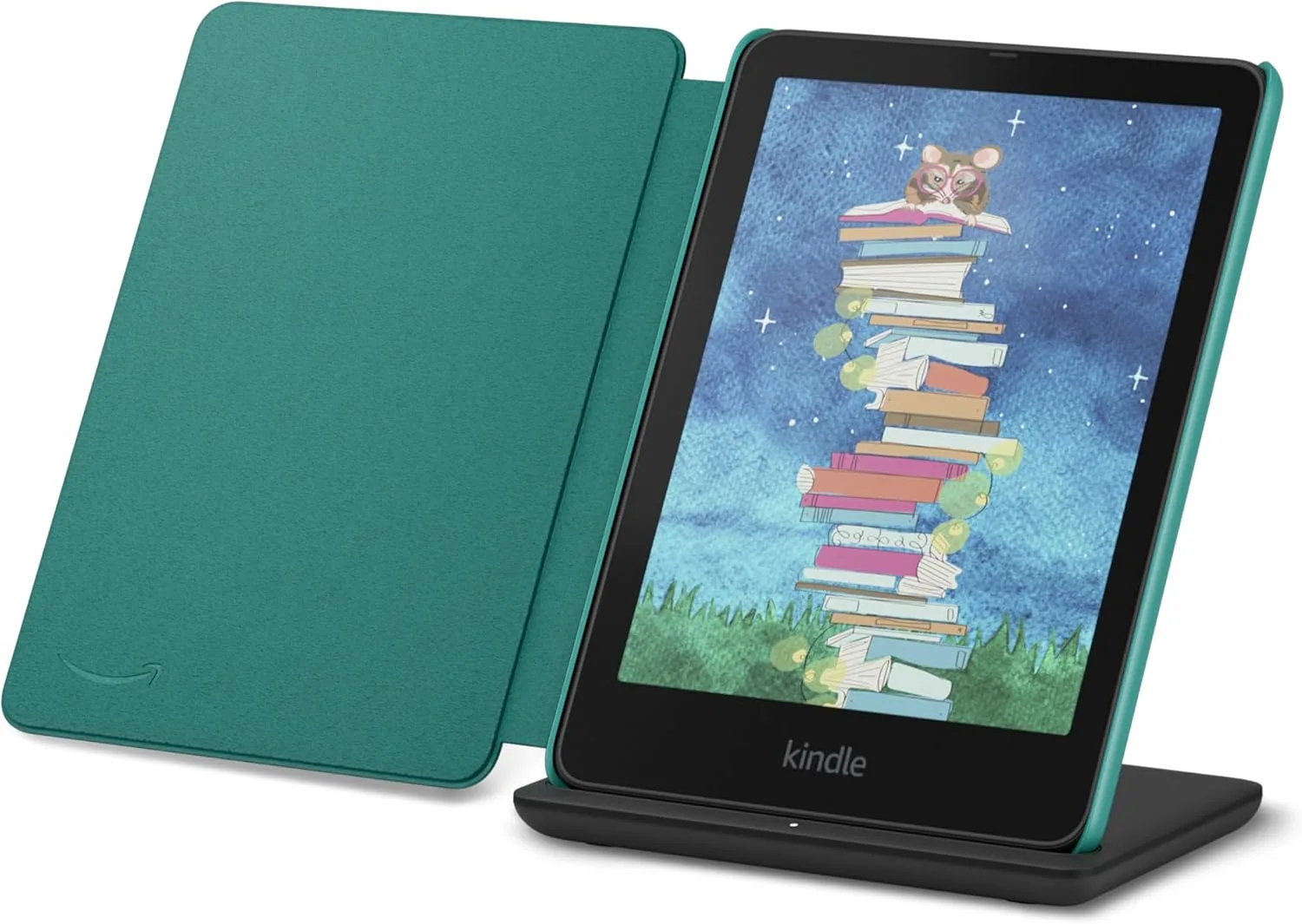

“I can’t read for very long on my phone without getting a headache from eye strain.” That sentence, from an r/kindle reader, is the whole reason this guide exists. A lot of people do not come to e-readers because they love gadgets — they come because reading on a phone or tablet has stopped being comfortable, and they want to know whether a dedicated reader actually feels different.
The short answer is that it usually does, for reasons that are about the screen, not about willpower. The longer answer is which screen, and which trade-offs matter for your eyes. This guide sticks to what the specs and the readers both say — and it makes no medical promises. An e-reader can be more comfortable to read on; it cannot treat or prevent an eye condition.
The Short Verdict
- Most people → Kindle Paperwhite (2026), $199.99 with ads / $219.99 ad-free. A 7-inch, 300 ppi glare-free screen, adjustable warm light, waterproofing, and the longest battery in the Kindle line (up to 12 weeks). It is the default answer for comfortable reading.
- Cheapest comfortable reader → Kobo Clara BW, $159.99. Waterproofing and warm light included at $10 less than the ad-free base Kindle, with native EPUB support and built-in library borrowing.
- Colour covers and comics without giving up comfort → Kindle Colorsoft, $289.99 (ad-free). Same 300 ppi sharpness in black-and-white, 150 ppi in colour, with warm light — at a $90 premium and shorter battery (up to 8 weeks).
- Biggest page for large type → Kindle Scribe, from $429.99. An 11-inch screen with the pen in the box; the pick when large type on a small screen means constant page turns.
Why a Phone Screen Feels Different
A phone or tablet screen is a light source pointed at your face: it emits light directly, and at night it is often the brightest thing in the room. An e-ink screen works the other way around. Like paper, it reflects ambient light instead of shining it at you, and the built-in front light shines across the page from the sides rather than out of the screen toward your eyes. That is the core difference, and it is why readers who struggle with phones often find an e-reader easier to sit with for an hour.
One reader described the phone experience vividly: “I was seeing blurred lines and they were combining. I really strained my eyes.” Another had already tried the obvious fixes first: “I got a Kindle because reading on my tablet was giving me migraines (tried all of the different settings).” Those are personal experiences, not medical evidence — but the pattern is consistent: people who could not fix the problem with brightness sliders and night modes found the different screen itself was what changed things.
Glare is the other half of the difference. A glossy phone or tablet screen mirrors windows and lamps; a glare-free e-ink screen does not. Outdoors, the e-reader stays readable where a phone washes out — and indoors, you are not fighting reflections while you read.
Warm Light: What It Actually Does
Warm light is the single feature readers mention most when they talk about comfortable night reading. It shifts the front light toward an amber tone instead of the cooler white of a standard front light, so the page looks warmer and less harsh in a dark room. A reader in a warm-light thread put it simply: “Warm light is an amazing feature, so much easier on the eyes at night.”
Which models have it matters, because it is not universal:
- Kindle Paperwhite (2026) — adjustable warm light, $199.99 with ads / $219.99 ad-free.
- Kindle Colorsoft (2026) — warm light, $289.99 ad-free, plus auto-adjusting light on the $319.99 Signature Edition.
- Kobo Clara BW — warm light included at $159.99.
- Kindle (2026), the base model — no warm light at all. Brightness only, which is exactly why it costs $149.99 with ads and why it is the wrong pick for night readers.
The base Kindle’s missing warm light is the clearest example of a spec that is also a comfort decision: the cheapest Kindle is fine in daylight, and noticeably harsher after dark. If you read mostly in bed, the warm-light models are worth the step up.
One more warm-light use case readers keep raising has nothing to do with eyes at all: “Absolutely, especially if you read in bed while your partner is sleeping. Way less bothersome in my experience.” A warm, dim front light disturbs a sleeping partner far less than a glowing phone screen — a small thing that decides a surprising number of purchases.
Front-Light Evenness and Brightness Control
A front light is only comfortable if it lights the page evenly, without bright patches or a visible gradient. Evenness is not something a spec sheet quantifies — no manufacturer publishes a number for it — so the honest guidance is to lean on models with a track record. The Paperwhite and the Clara line are the safe defaults here: mature front-light designs that readers consistently describe as even, rather than new or budget designs where uneven lighting is the most common complaint.
Brightness control is the part you can judge from the spec sheet: all current models let you dim the front light down to a faint glow. The practical rule is simple — set the light only as bright as the room needs. In a dark bedroom that is barely on; in a sunny room it is higher, because the screen is competing with daylight.
Sharpness and Large Type: 300 ppi and Font Control
Sharpness is the one comfort factor with a hard number attached. The Paperwhite’s screen is 300 ppi, and the Colorsoft matches it at 300 ppi for black-and-white text (150 ppi in colour). At that density, text looks like print — no visible pixel edges, no faint fuzz on letterforms that your eyes have to work to resolve. Lower-density screens are where small text starts to feel like effort.
Font control is the other half. Every current Kindle and Kobo lets you enlarge the type, and the practical advice for sensitive eyes is to stop treating the default size as the right size: bump the font up a notch or two and let the page turns come more often. A larger font on a sharp screen is the cheapest comfort upgrade there is, and it costs nothing.
Reading at Night Without Waking the Room
Night reading is where the e-reader’s advantages stack: a warm, dim front light, a glare-free screen, and no glowing rectangle lighting up the bedroom. One Amazon reviewer of the Paperwhite described the switch in plain terms: “Reading on my phone was giving me a headache and keeping me awake at night. Getting a kindle solved all of this for me.” That is one person’s experience, not a claim about sleep — but the mechanism is ordinary and visible: a dim, warm, reflected-light page is a calmer thing to look at in the dark than a bright phone.
The Honest Limits
Comfort framing only, stated plainly:
- No e-reader prevents or treats eye strain, headaches, or any eye condition. Readers report feeling more comfortable; that is a personal report, not a medical outcome. If reading regularly hurts, or your vision changes, talk to an eye-care professional rather than shopping for a different screen.
- Warm light is not a health feature. It makes the page look warmer and feel less harsh at night. It is a comfort preference, and describing it as anything more would be inventing a claim.
- Brightness, contrast, and font size are personal. Two readers with the same model will set it differently, and the right setting is the one that feels comfortable to you after twenty minutes, not the one a review recommends.
Choose the Paperwhite if…
…you want the safest all-round answer for comfortable reading. The 300 ppi glare-free screen, adjustable warm light, waterproofing, and up-to-12-week battery cover every comfort factor in this guide, and at $199.99 with ads ($219.99 ad-free) it is the default pick for a reason. Our Kindle buying guide places the Paperwhite inside the full 2026 lineup if you want the wider context.
Choose the Clara BW if…
…you want the same comfort essentials for less, and you read EPUBs or borrow from the library. At $159.99 it includes warm light and waterproofing, reads EPUB natively, and borrows on-device through OverDrive — $10 less than the ad-free base Kindle, which has neither warm light nor waterproofing. For the full head-to-head, our Kobo vs Kindle comparison covers the ecosystem trade-offs. If you already own EPUB files and buy a Kindle instead, our guide to sending EPUBs to Kindle covers that route.
Choose the Colorsoft if…
…your reading has colour in it and you refuse to give up the warm light. At $289.99 ad-free it keeps the 300 ppi black-and-white sharpness and adds colour for comics, covers, and highlights, with the same warm light and waterproofing. You pay $90 over the Paperwhite and give up some battery (up to 8 weeks); for plain novels, the Paperwhite is the sharper value. For the wider colour field, our colour e-ink comparison puts the Colorsoft against the Kobo colour models.
Choose a Scribe if…
…large type is non-negotiable and a 7-inch page turns too often. The 11-inch screen (from $429.99, pen in the box) fits large type without constant page turns, and the front-light model at $499.99 keeps it readable in any room. It is a lot of reader to buy for comfort alone — but for readers who need the big page, it is the only Kindle that has one.
FAQs
Is an e-reader really easier on the eyes than a phone?
For most readers, yes — and the reason is the screen, not a setting. E-ink reflects light like paper instead of shining it at you, and the front light is dimmable and warmable. That is a comfort difference, not a medical one.
Does warm light help with eye strain?
Readers consistently say warm light feels easier at night. That is a comfort report, not a medical claim — no e-reader prevents or treats eye strain.
Which Kindle has warm light?
The Paperwhite, Colorsoft, and Scribe (front-light models) all have it. The base Kindle (2026) does not — brightness only.
What about reading in the dark?
A dim, warm front light on a glare-free screen is the comfortable setup. Keep the brightness as low as the room allows, and avoid reading on a bright phone screen in a dark room — that contrast is what most people find harsh.
The Bottom Line
If reading on your phone has stopped being comfortable, the fix is usually the screen, not another settings tweak. The Paperwhite is the default answer — 300 ppi, warm light, waterproof, $199.99 with ads. The Clara BW is the budget answer with the same comfort essentials at $159.99. And whatever you buy, set the type larger than you think you need and the light dimmer than you think you need: those two free adjustments do more for comfort than any feature on the box.
Affiliate Disclosure: This article contains affiliate links. If you buy through these links, we may earn a small commission at no extra cost to you.